
Fax.Plus - Send Fax from Phone
AlohiBusiness
4.65.48K Reviews
- Version
- 24.2.0
- Installs
- 1.00M
- Age Rating
- Everyone
Screenshots
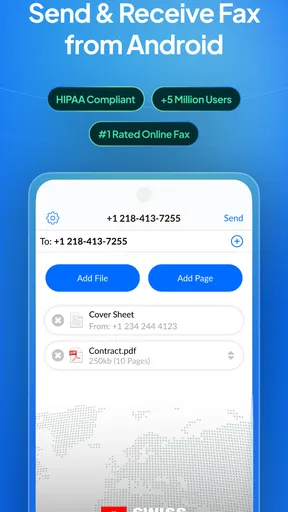
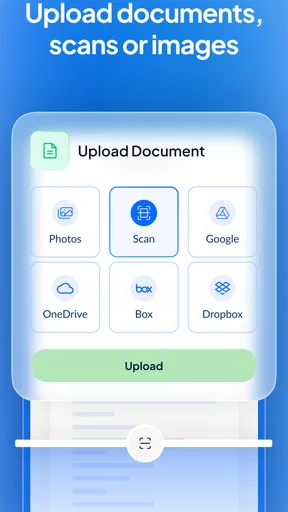
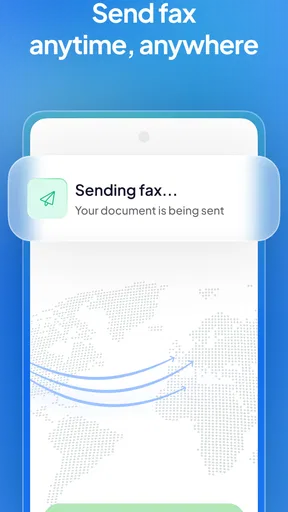
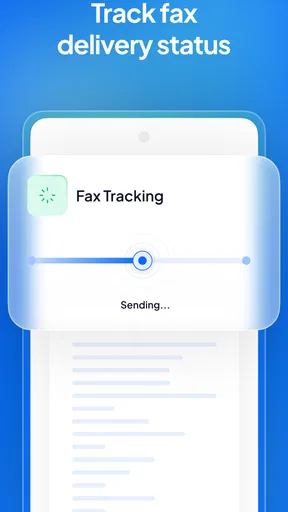
Our Review of Fax.Plus - Send Fax from Phone
 Analysis by Appyee
I reach for a phone fax app when a form still has to go through an old-fashioned channel, but I don’t want to hunt down a machine, make a trip, and hope the pages go through. Fax.Plus is aimed at that awkward gap between paper-based offices and everyday mobile life. It makes sense for occasional paperwork as well as people who fax more often, though the best fit depends on how much you send and whether the rest of your household needs access too.
One phone, one urgent document
A realistic example: a clinic or office asks for a signed form before the end of the day, and the only copy you have is on your phone. Instead of printing it and looking for a fax machine, you can prepare the document in the app, enter the destination number, and send it from home. That convenience is the main reason I’d keep a faxing app around, even if I only needed it a few times a year.
The key is to treat the last step as carefully as the first. Faxing is unforgiving when a number is wrong or a page is hard to read, so I’d check the recipient’s number, review the document, and keep the delivery notification. A confirmation is useful, but it is still sensible to verify with the recipient when a deadline or important paperwork is involved.
Where it fits in a household
For a household, the practical question is less “Can everyone use it?” than “Who should handle this document?” A shared tablet or phone can make it easier to send a form when the usual person is away, but a fax may contain financial, medical, or identity details. I would avoid passing around a signed-in device without thinking through who can see its stored documents and account activity.
If more than one person needs to fax, agree on a simple routine: the person preparing the document checks the number and pages, while the person responsible for the paperwork confirms it was received. This kind of coordination does not require a special family feature; it is just a useful boundary for shared-device use. For sensitive paperwork, sending from the account holder’s own device is often the cleaner choice.
Set expectations before the first send
The app is free to install, but that does not mean frequent faxing is automatically free. Fax.Plus offers in-app purchases, so I’d use any available no-cost sending allowance to test a real document and destination before relying on it for regular work. If your needs are ongoing, check the current plan details in the app and compare them with the cost of occasional in-person faxing. The right option depends on volume, not just the convenience of having the app.
It is also worth deciding how you want to handle copies. Keeping sent documents can help when you need to prove what you submitted or send the same paperwork again, but retaining sensitive files on a device or in an account has a privacy trade-off. I’d save only what I expect to need and make sure the phone itself is protected, especially if other people borrow it.
Getting Started with Fax.Plus
First things first, getting started with Fax.Plus is a breeze. All you need to do is download the app from the Play Store if you're an Android user, or the App Store for iOS enthusiasts. Installation is quick, and once you open the app, you'll be greeted with a clean and intuitive interface.
Setting up an account is straightforward. You can either sign up with your email or use Google or Facebook to make things even quicker. The app offers a few free pages to send, which is a neat way to test the waters without any commitment.
How Does It Work?
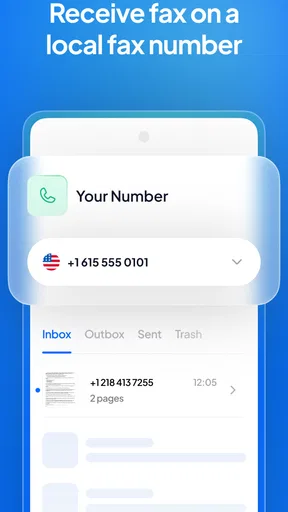
So, how does sending a fax from your phone actually work? It’s simpler than you might think. You just need to snap a photo of the document you want to fax or upload a file from your phone's storage. Fax.Plus supports a variety of file formats including PDF, DOC, and JPG, making it versatile for different needs.
Once you have your document ready, enter the recipient's fax number, and hit send. You can even add a cover sheet if you’re feeling professional. The app notifies you when your fax has been delivered successfully, which is a nice touch because no one likes wondering if their documents got lost in the digital ether.
Making a phone scan easier to read
When I’m using a phone photo rather than an existing document, I try to make the page as flat and evenly lit as possible. Shadows, curled corners, and a patterned surface can make a form harder to read at the receiving end. A quick review before sending is especially helpful for small print, signatures, and checkboxes: those details may look clear on a bright phone screen but become less legible in a fax.
For paperwork with several pages, I’d also check the order before sending and make sure nothing is missing from the beginning or end. A cover sheet can help identify the recipient and purpose, but it should not expose more personal information than necessary. These small checks take less time than tracking down a recipient later to explain an incomplete or unreadable submission.
Features to Love
Fax.Plus is packed with features that make it stand out. One of my favorites is the ability to sync across multiple devices. This means you can start a fax on your phone and finish it on your tablet or laptop, which is perfect for those of us who juggle multiple gadgets.
The app also includes options for scheduled faxing. You can set a specific time for your fax to be sent, which is a lifesaver if you're working across different time zones or just want to make sure your fax is at the top of the pile first thing in the morning.
Coordination without a paper trail mess
Cross-device access and scheduling are handy when a task spans more than one moment: you might prepare paperwork on a phone, review it later on another device, and choose a send time that suits the recipient’s working hours. I would still avoid assuming that a schedule replaces a deadline check. If the document is time-sensitive, allow room for a failed transmission or a follow-up call rather than scheduling it at the last possible minute.
For someone who handles forms for a small business, rental property, or community group, the app can reduce the friction of sending occasional documents without maintaining a physical machine. But if several staff members need a formal shared workflow, clear ownership, and routine record keeping, a dedicated business process may be a better fit than relying on one person’s phone account. Faxing from a mobile app solves transmission; it does not by itself settle who is responsible for reviewing or filing the paperwork.
How it compares with other ways to fax
Compared with a traditional fax machine, the phone-first approach is far more convenient when you do not have access to office equipment, and it avoids printing a document just to send it. A local print or shipping shop can still be preferable if you need in-person help, want someone to handle paper originals, or are uncomfortable uploading sensitive files through an app. Email is simpler when the recipient accepts it, but it is not a substitute when a fax number is specifically required.
That makes this a useful problem-solving tool rather than a reason to fax everything. I’d choose the method the recipient actually accepts: email for ordinary digital correspondence, a physical service when hands-on help matters, and Fax.Plus when a fax is required and doing it from a phone is the least troublesome option.
Security and Privacy
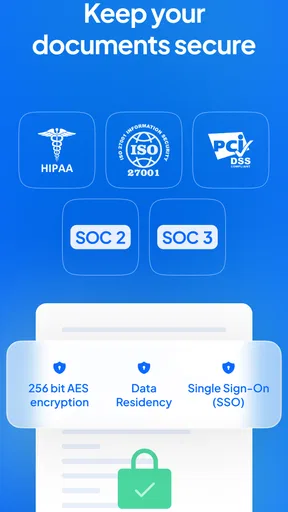
In today’s world, security is crucial, especially when handling sensitive documents. Fax.Plus takes this seriously with AES 256-bit encryption, ensuring your documents are safe from prying eyes. Plus, their compliance with major regulations like GDPR and HIPAA gives extra peace of mind.
The app also lets you store your sent and received faxes safely in the cloud. This is particularly useful if you need to access your faxes on the go or want to keep a backup without cluttering your device storage.
Age, trust, and sensible boundaries
The app is rated Everyone, which describes its content rating, not a reason to let children handle adult paperwork or account details. In a family setting, I’d keep account access with the adult responsible for the document and avoid leaving private forms open on a shared screen. A younger household member can help locate a file or take a clear photo when appropriate, but the adult should review the recipient and make the final decision to send.
For any user, the most important trust question is whether the recipient is legitimate and whether the document needs to be sent at all. A fax app can make transmission convenient, but it cannot judge a request that arrives by phone or email. If an unexpected person asks for sensitive paperwork, I’d confirm the request through a known contact method before sending it.
Pricing Plans
While the free tier gives you a taste of what Fax.Plus can do, their pricing plans are worth considering if you find yourself needing to send faxes regularly. They offer a range of plans that cater to different needs, from occasional users to businesses that need to send a high volume of faxes.
Each plan comes with a set number of pages you can send per month, and additional pages come at a reasonable cost. It’s flexible, so you’re not tied into paying for more than you need.
The app is free to download, and its in-app purchases range from $8.99 to $949.99 per item. That broad span makes it worth checking exactly what a purchase covers before committing, especially if you fax only now and then. The current version is 19.10.0, and it has a 4.7 average from around 29,000 ratings, with more than one million installs. Those figures suggest a well-used service, but they do not tell me whether a particular plan suits my own volume, so I’d base that choice on actual use rather than popularity.
Who will get the most from it
I’d recommend it to people who occasionally need to submit signed forms, independent workers who deal with organizations that still request faxes, and small teams that want to send documents while away from an office. It is also convenient for someone who travels and does not want to search for a fax machine whenever a document is requested.
I’d skip it if you never encounter fax-only recipients, if you are unwilling to keep paperwork in an app account, or if your organization requires a controlled multi-person document process. The same goes for anyone who needs a physical original delivered rather than a faxed copy. In those cases, email, a secure organizational system, or an in-person service can be more appropriate.
Wrapping It Up
All in all, Fax.Plus - Send Fax from Phone is a solid app that brings faxing into the modern age. It’s user-friendly, secure, and packed with features that make sending faxes as easy as sending an email. Whether you’re a business professional or just someone who needs to fax the occasional document, Fax.Plus is definitely worth checking out. So go ahead, give it a whirl and say goodbye to hunting for a dusty fax machine!
For households, my verdict is more measured: it is a practical answer when a real fax is required, not a replacement for every way of sharing documents. I’d keep access with the person responsible, review every page and destination, and check the cost if sending becomes routine. If your needs are occasional and you value being able to handle the task from a phone, it is easy to see the appeal; if your paperwork needs strict team oversight or a physical original, another route will serve you better.
Verdict
Strengths of Fax.Plus - Send Fax from Phone
- Easy to use interface for all users.
- Supports multiple file formats.
- Cloud integration enhances accessibility.
- Offers international faxing options.
- Secure with encryption for data protection.
Limitations of Fax.Plus - Send Fax from Phone
- Free version limits the number of faxes.
- Requires a stable internet connection.
- Some features are locked behind paywalls.
- Occasional delays in fax delivery.
- Limited customer support options.
Similar Picks in This Category
View All
LinkedIn: Community & Network
LinkedIn3.8

Zoom Workplace
zoom.com4.1

Microsoft Teams
Microsoft Corporation4.6

Meta Business Suite
Meta Platforms, Inc.4.6

Webex Meetings
Cisco Systems, Inc.4.5

TeamViewer Remote Control
TeamViewer4.4
Frequently Asked Questions
What features does Fax.Plus offer for sending faxes from my phone?
Fax.Plus provides a comprehensive set of features for sending faxes directly from your smartphone. Users can send and receive faxes, schedule faxes for later delivery, and even edit documents with annotations before sending. The app supports various file formats, integrates with cloud storage, and offers a secure transmission with encryption.
Is Fax.Plus secure for transmitting sensitive documents?
Yes, Fax.Plus prioritizes security and uses end-to-end encryption to ensure that all documents are safely transmitted. The app complies with international standards like HIPAA, making it suitable for sending sensitive and confidential information securely. Additionally, the app provides audit trails and access controls to enhance security.
How does the pricing structure of Fax.Plus work?
Fax.Plus offers a flexible pricing model with both free and paid plans. The free version allows for a limited number of pages, while paid plans offer more pages and additional features like priority delivery and cloud storage integration. Users can choose a plan based on their faxing needs and upgrade or downgrade as required.
Can I use Fax.Plus on multiple devices?
Yes, Fax.Plus supports multi-device usage, allowing you to access your account from different devices, including smartphones, tablets, and computers. This feature ensures that you can send and receive faxes no matter where you are, providing convenience and flexibility for users who work across multiple platforms.
What file formats are supported by Fax.Plus for sending faxes?
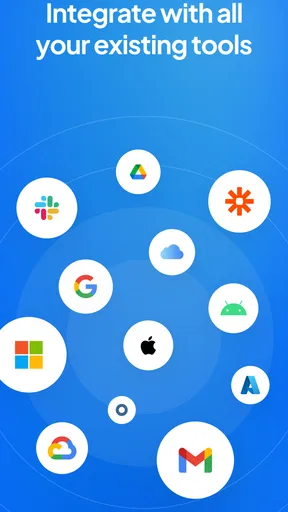
Fax.Plus supports a wide range of file formats, including PDF, DOC, DOCX, JPEG, and PNG, among others. This versatility allows users to send various types of documents without needing to convert them beforehand. The app also integrates with cloud services like Google Drive and Dropbox, making it easy to attach files directly from these platforms.
